Designer Secondary Toolbar
The secondary toolbar of the
Visual Designer provides zooming functionality and quick color change for the currently selected layers.
 Layer Fill Color Shows the background color of the selected layer and provides possibility to quick change of the layer's background color. |
|
 Layer Outline Color Shows the outline color of the selected layer and provides possibility to quick change of the layer's outline color. |
|
 Hue Saturation Ligtness Use this button to quickly adjust hue, saturation, and lightness of a selected layer. |
|
 Zoom to Width Press this button to automatically adjust the view scale factor to fit the document width. |
|
 Fit the page Press this button to automatically adjust the view scale factor to fit the whole document size. |
|
 Zoom Out |
|
 Current Zoom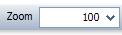 Use this field to set the view scale factor explicitly. |
|
 Zoom In |
|



 Zoom out tool reduces view area of the
  Zoom In tool magnifies the